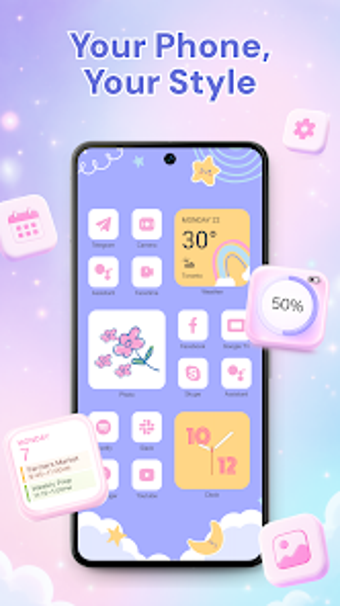
All-in-one Android app for icon and widget customization
Theme Icon Changer - Themezi, developed by B535 Studio, is a personalization app that changes a device's home screen visuals for aesthetic and functional purposes. It lets users apply themed icon packs, add widgets, and swap wallpapers across the home and lock screens. Key highlights include a large library of icon themes, DIY icon creation, and an AI search tool for finding matching assets. The app targets Android users who enjoy bespoke home screens and visual customization workflows.
What does Themezi change about your home screen?
Themezi replaces visible app icons and adds desktop widgets and wallpapers without altering system apps by creating shortcut icons on the home screen. The shortcut-based method means the original app icons remain intact, and wallpapers can be applied to home and lock screens with a single tap. This approach focuses on visible appearance rather than modifying underlying system files.
How much control does Themezi give over icon and widget appearance?
The app supplies a massive library of predesigned icon packs and themed assets plus a DIY icon creator that imports photos and applies custom shapes. Widget choices include clock, calendar, photo, weather, and motivational quote displays. An AI-powered search helps locate styles and assets, and seasonal packs are added through regular content updates to expand preset choices.
Does Themezi affect device behavior or compatibility?
Themezi runs on Android and is optimized for modern releases, and its shortcut method avoids direct system modification. The app is distributed as a free download and may include advertisements or in-app premium features, which can affect the in-app experience. Because it does not replace core app files, compatibility with system updates depends less on deep system hooks and more on launcher behavior.
Is Themezi straightforward to configure on everyday devices?
Onboarding focuses on visual choices rather than technical setup: one-tap wallpaper application and AI search reduce manual browsing, while the DIY icon tool uses gallery images for quick personalization. The app targets users who prefer a mostly visual workflow for home screen design and does not require modifying system settings to apply themes and widgets.
Themezi suits visual customizers who accept an app-based, non-destructive approach
Themezi is a practical option for Android users who want to craft bespoke home screens through curated packs and personal designs, while keeping original system apps untouched. Expect an app-first workflow and occasional in-app promotions as part of the experience. For users seeking direct system-level icon replacement, a different method is necessary; Themezi fits those focused on aesthetic customization without touching core files.